
Prepare for Platform App Builder with One Complete Practice App
Build a small equipment-request app, then use requirements, access checks, tests and a handover to find the gaps in your Salesforce skills.
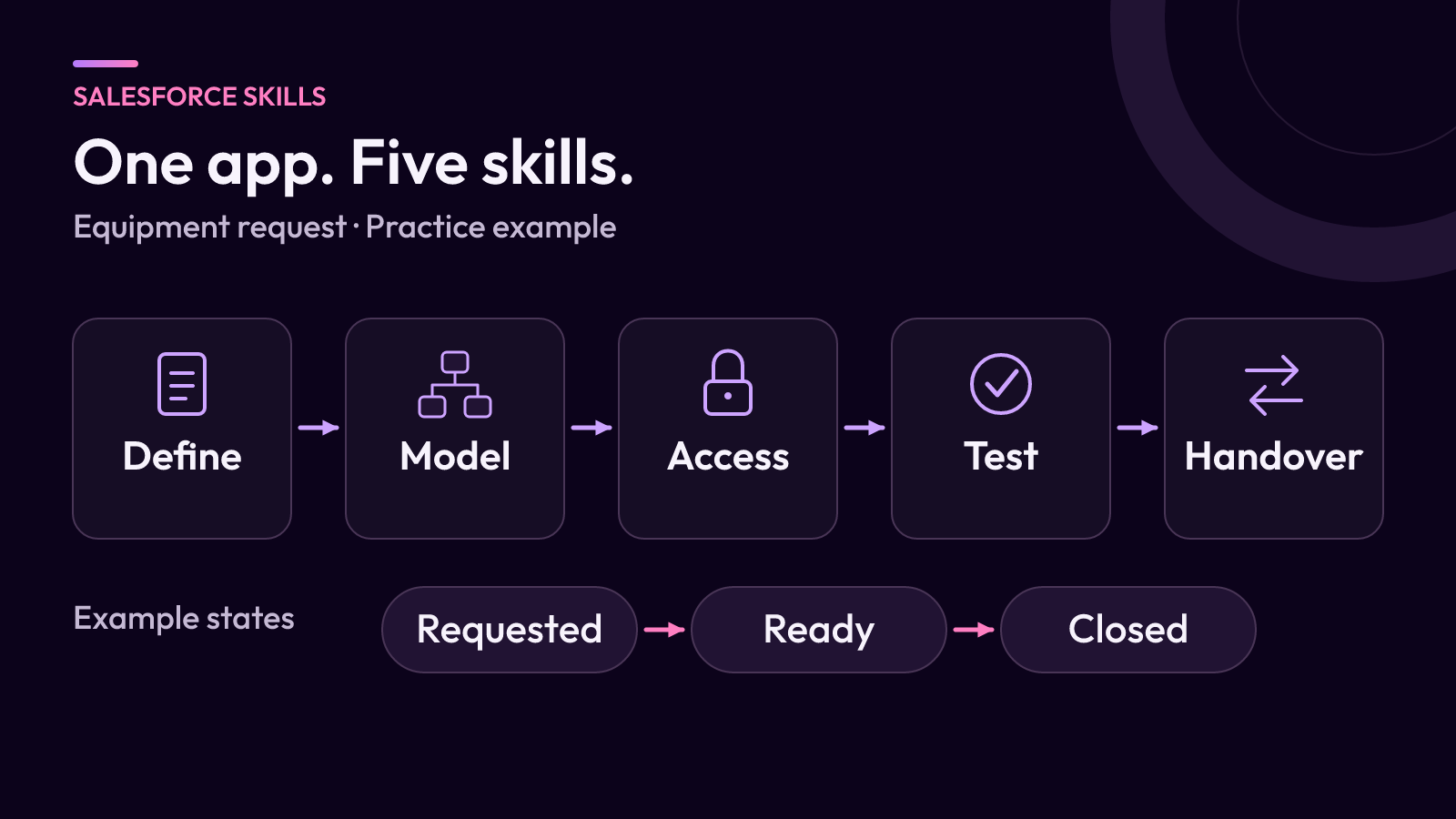
Topic inspiration: Salesforce Ben’s coverage of Platform App Builder exam changes, published 2 November 2026. The practical framework below is original iTeknologies editorial analysis.
A practice app can reveal gaps that a set of revision notes will miss. You may know how to create a field but struggle to explain who should edit it, why it is required or what happens when the record changes.
For Platform App Builder preparation, build one small application from a written request through to a handover. Salesforce describes the credential as covering the design, build and deployment of applications using declarative customization. The exercise below turns that broad scope into work you can inspect.
Start with a small business request
Use this fictional brief: an internal operations team needs to track requests for loan equipment. Staff submit a request; an operations coordinator records whether equipment is ready; completed requests remain available for reporting.
Keep the first version narrow. It does not reserve inventory, approve purchases or send information to a supplier. Those could become later exercises, but including them now makes it harder to identify which part of the basic design you understand.
Write the expected outcomes before opening the builder. Salesforce’s user-story guidance recommends acceptance criteria that can be judged as pass or fail. For this practice brief, a submitted request must identify the requester and equipment needed; a closed request must record a completion date; and a report must distinguish open requests from completed ones.
Make the data model explainable
Sketch the request record and its fields on one page. Decide whether the equipment type is a controlled list or a relationship to a separate inventory record. Explain the consequence of each option rather than adding both.
For every field, record its meaning, who supplies it and whether an empty value is acceptable. A field called Needed By should have a different purpose from Completed On. If two fields appear to mean the same thing, simplify the model before building screens around it.
Create fictional examples that challenge the design: a request with no date yet, an item no longer offered and a request that was cancelled. The goal is to discover unclear requirements while changes are still small.
Show what each person can do
Define two practice personas: requester and operations coordinator. Write down which records each should see and which fields each should edit. Do not judge the result only while signed in as an administrator.
For example, you might decide that requesters can describe their need but only coordinators can mark equipment ready. That is a policy for this exercise, not a Salesforce default. Implement it using the features available in your training environment, then verify the intended access with suitable test users.
Salesforce’s Trailhead Playground guidance provides a place to practice without changing a production org. It also explains that some features need a specific training org. Check that the exercise fits the environment you have before adding specialist product dependencies.
Test changes over the life of the request
Choose one useful automation, such as filling a completion date when the request first reaches the agreed closed state. Specify what should happen if it is reopened and closed again. Decide whether the date represents the first completion or the latest one.
Run a sequence of checks, keeping expected and actual results together:
- Create a valid request and confirm its initial state.
- Try to submit it without required information.
- Change a field as each persona and verify the access policy.
- Close, reopen and close the request again.
- Edit an unrelated field and check for unwanted side effects.
- Confirm that the report still shows the intended totals.
A failure is useful evidence. Write down whether it came from a misunderstood requirement, configuration choice or incomplete test. Fix the cause and rerun the affected checks instead of collecting screenshots of only the successful path.
Finish with a handover someone else can use
Prepare a short record of the requirements, field choices, access rules, automation and test results. Include one decision you would revisit if the application grew. Ask another learner or colleague to follow it without your narration.
Use the current official credential resources to map any remaining study gaps. This exercise is a practice method, not a replacement for the full exam guide or a prediction of exam questions.
The same habit of making decisions and tests visible is useful in a real Salesforce implementation. For ongoing configuration work, explore fractional Salesforce administration.