
Turn a Salesforce Certificate Notice into a Connection Test Plan
Trace the systems behind a certificate notice, identify the owner of each change and define the evidence needed to keep connections working.
Topic inspiration: Salesforce Ben’s coverage of Salesforce certificate notices, published 2 November 2026. The practical framework below is original iTeknologies editorial analysis.
A certificate notice becomes actionable when you can connect it to a real system, a responsible owner and a test. Reading the notice alone does not establish whether an integration is affected or who should change it.
Start by listing the connections your business depends on. Then work with the integration and infrastructure owners to establish the certificate’s role on each connection. This produces a focused change plan and a useful record for the next renewal.
Build an inventory around business connections
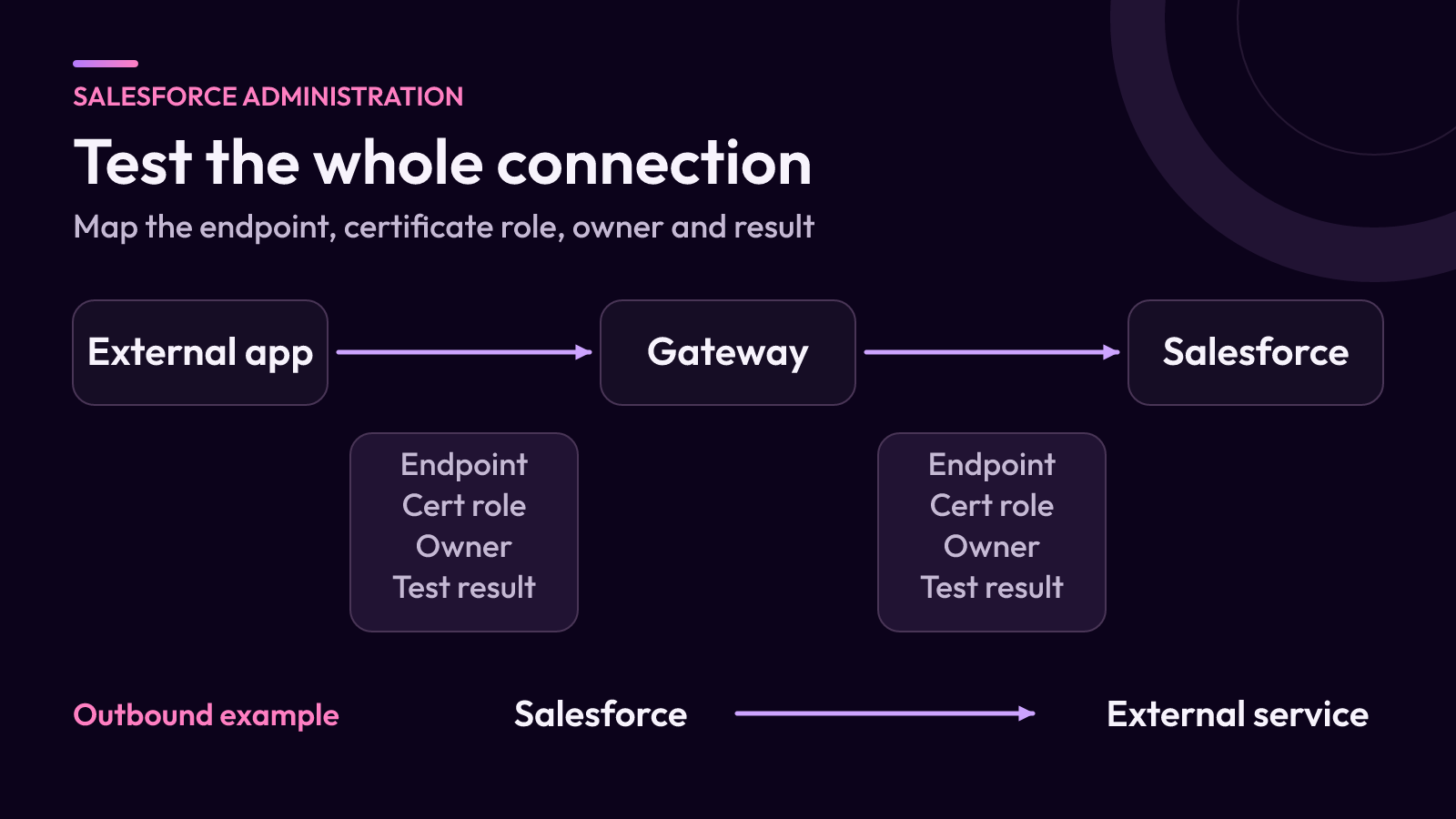
Choose a familiar process, such as an order system sending customer updates into Salesforce. Record the application, environment, endpoint, connection direction and operational owner. Include any gateway or middleware between the two systems.
Add the authentication method and where certificate validation occurs. A successful connection from a person’s laptop does not prove that the production integration runtime trusts the same certificate chain.
Salesforce’s public key infrastructure guidance calls for reviewing mutual TLS usage, trust stores and renewal practices. Use those topics to guide the inventory. Ask the owner for configuration evidence rather than treating an unfamiliar term as evidence that it is unused.
Identify the certificate’s job
Distinguish a server certificate presented by an endpoint from a client certificate used to identify a connecting application. Separately record certificates used for other features, such as a configured single sign-on relationship or custom domain.
Salesforce documents these different uses in Certificates in Salesforce. The relevant owner and test depend on the feature. Replacing a certificate in one location is not proof that every dependent system has been updated.
For each inventory entry, capture the certificate identifier, issuer, expiry date, storage location and renewal owner where applicable. Store public identifiers and operational references in the change record. Keep private keys and other secrets in the organization’s approved secret-management process.
Turn unknowns into assigned checks
Use a short decision log with three states: verified unaffected, change required, or investigation needed. An empty field belongs in the third state. Record why an entry has its status and the date on which that evidence was checked.
For an external application connecting to Salesforce, the runtime owner should review how trust is configured. Salesforce’s certificate guidance recommends against pinning individual certificates and describes the required root trust approach. Any change should follow that guidance and the organization’s controlled configuration process.
For a certificate your team maintains, identify the renewal mechanism and every place where the renewed certificate or its public information must be installed. Copy the applicable deadline from the current official notice into the change record, with its source. Recheck it when scheduling the work.
Rehearse the actual business transaction
Define a harmless test that exercises the same connection path as normal work. In the fictional order-system example, that could be an approved test customer update that reaches the correct Salesforce record and returns the expected acknowledgement.
Before the rehearsal, agree on the following:
- The test environment and how it differs from production.
- The runtime or application that will initiate the request.
- The expected authentication and transaction result.
- The logs that will distinguish a trust failure from an application error.
- The person who can stop the change and restore the prior supported configuration.
Check the complete transaction, not just whether a TLS connection opens. A successful handshake followed by a failed authentication or rejected update still leaves the business process broken.
If a test environment uses a different endpoint or trust store, document that gap. A rehearsal provides evidence about what was tested; it does not automatically cover every production dependency.
Close the change with evidence and a next owner
Retain the connection inventory, configuration references, test timestamps and results. After the production change, verify the agreed business transaction through the authorized operational process and check for delayed failures in dependent jobs.
Assign ongoing renewal monitoring and a fallback contact. A useful completion note says which connection was tested, in which environment, with what result and where the next expiry is tracked.
If the dependency map is unclear, include it in a review of Salesforce integrations. Routine ownership and renewal tracking can also form part of ongoing Salesforce administration.